Your Event. Their Photos. One Unforgettable Wall.
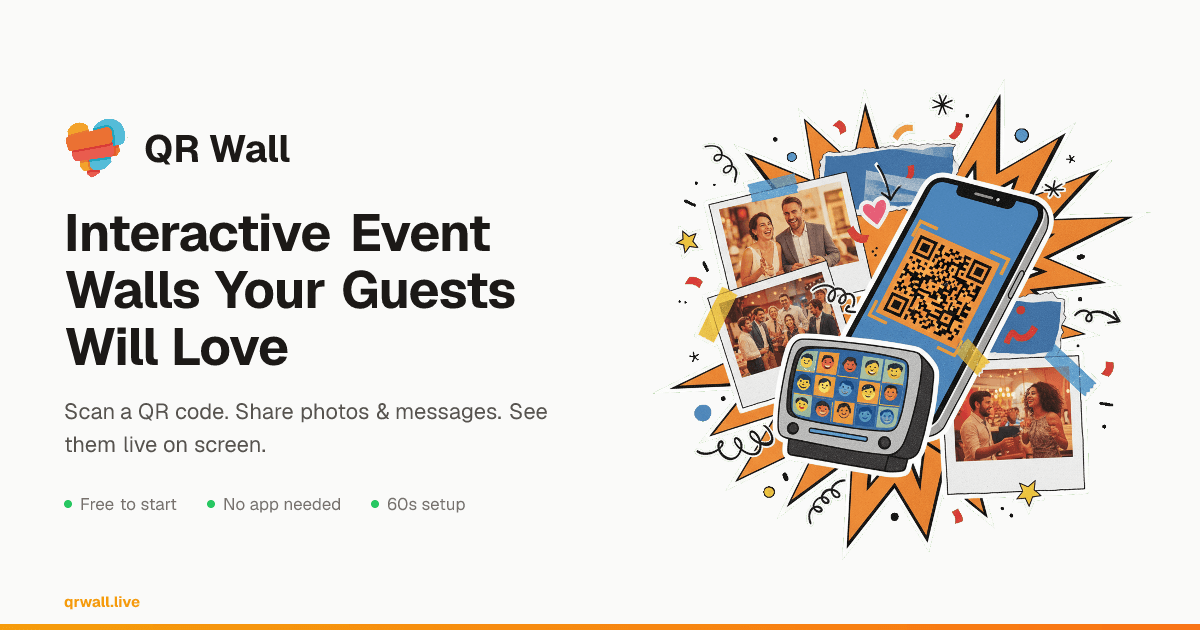
Guests scan a QR code and share photos and messages instantly — no app, no signup, no friction. Everything appears live on the big screen.
No App Required
Scan QR and share instantly
Live in 60 Seconds
Create, project, done
AI Moderation
Text & image filtering
Any Crowd Size
From 20 to 5,000+ guests
Every Event Has a Moment Problem
Your guests are taking incredible photos. You'll never see most of them.
200 phones. Zero shared.
Photos stuck in pockets. Messages never sent. By Monday, the energy is gone.
Every moment, live on screen.
Photos, messages, and reactions appear instantly. The room lights up. Everyone's part of the show.
One QR Code. Everything You Need.
QR Wall is an interactive event wall that lets attendees share photos, messages, and reactions in real-time via QR code, displayed live on a projected screen.
Real-Time Display
Photos and messages appear on the big screen in under one second. WebSocket-powered, no page refresh needed.
Zero Friction for Guests
No app download, no account creation. Guests scan the QR code and share from their browser — works on any phone.
AI Content Safety PRO
Auto-filter text and images with OpenAI's moderation API. Five sensitivity levels so nothing inappropriate hits the screen.
Shareable Gallery
Generate a public gallery link after your event. Guests can relive and share the photos — no login required.
Two Display Modes
Slideshow for dramatic full-screen moments. Feed mode for a masonry waterfall showing more content at once.
Download Everything
After the event, download all photos and messages as an archive. Every moment saved, nothing lost.
Live in 60 Seconds. Literally.
Four steps from zero to a live event wall
Create
Name your event and get a unique QR code
Share
Display the QR code for attendees to scan
Engage
Watch photos and messages appear live on screen
Save
Download everything or share a gallery link
Two Ways to Wow the Room
Pick the display style that fits your event's energy
Slideshow Mode
Full-screen horizontal scrolling. Best for weddings, ceremonies, and sequential storytelling.
Feed Mode
Masonry waterfall showing 4-6 submissions at once. Best for conferences, panels, and high-energy events.
From 20-Person Lunches to 5,000-Person Conferences
Event organizers use QR Wall to turn passive audiences into active participants
Weddings
Guest photos & well-wishes displayed live at your reception
Conferences
Live Q&A, audience reactions, and engagement on the big screen
Corporate Events
Town halls, team building, and company-wide engagement
Campus Life
Greek life, orientation, campus events, and student org gatherings
What Happens After the QR Code Goes Up
Real results from real events
"Our wedding reception was so much more fun with QR Wall! Over 300 photos shared by guests, and we got to relive every moment. The download feature was a lifesaver."
Wedding Organizer
150-guest reception, Austin TX
"Used QR Wall for our annual conference with 400+ attendees. Live Q&A on the big screen transformed our panels. Sponsors loved the engagement numbers."
Conference Organizer
Tech summit, San Francisco CA
"We ran it for orientation week — zero inappropriate content thanks to AI moderation. Student Affairs approved it for all future campus events."
Student Activities Coordinator
University orientation, Chicago IL
60 seconds to set up. No credit card.
Free for Small Events. Built for Big Ones.
Start free, upgrade when your event needs it. Cancel anytime.
No credit card required for free tier. All plans renew monthly.
Free
Try it at your next event
- ✓ 5 most recent submissions displayed
- ✓ Both display modes (slideshow + feed)
- ✓ QR code generation
- ✓ Great for team meetings & small gatherings
Premium
The full experience — no limits on sharing
- ✓ Unlimited submissions
- ✓ Download all content
- ✓ Shareable event gallery
- ✓ Remove QR Wall branding
- ✓ Elegant theme
- ✓ Event countdown
Professional
Peace of mind for high-stakes events
- ✓ Everything in Premium
- ✓ AI moderation for messages & photos
- ✓ Custom event branding & logo
- ✓ Custom background images
- ✓ Priority support
Quick Answers Before You Set Up
Do attendees need to download an app?
Nope. Guests scan the QR code with their phone camera and share photos and messages directly from their browser. Works on any phone — iPhone, Android, anything with a camera. No app, no account creation.
Does it work on any Wi-Fi network?
Yes — venue Wi-Fi, cellular data, corporate networks, whatever. As long as there's internet, it works. We've seen it run smoothly on everything from hotel Wi-Fi to university networks.
What if someone posts something inappropriate?
Professional tier includes AI moderation that screens every message and photo before it hits the screen — powered by OpenAI's moderation API. You can set 5 sensitivity levels. All tiers include a manual approval queue so you can review submissions before they appear.
Can I customize the look to match my event?
Yes! Professional tier includes your logo, custom colors, and background images. Premium users get the elegant display theme. Both tiers let you choose between slideshow and feed display modes.
How many people can participate at once?
No limit. We've seen it work with 20 people at a team lunch and large groups at university orientations. Submissions show up in real-time either way — WebSocket-powered, no polling.
Is the free tier really free forever?
Yes. No credit card required, no time limit. Free tier shows the 5 most recent submissions on your wall — great for trying it out at a small gathering. Upgrade anytime if you need unlimited submissions, downloads, or the gallery feature.
Can I share event photos with guests afterwards?
Yes! Premium and Professional plans include a shareable gallery link. After your event, share a URL where anyone can browse all the photos and messages — no login required. You can also download the full archive.
What display modes does QR Wall have?
Two modes: Slideshow Mode shows submissions one at a time in a smooth horizontal scroll — great for weddings and ceremonies. Feed Mode shows a masonry waterfall with 4-6 submissions visible at once — ideal for conferences and high-energy events. All tiers get both modes.
Your Next Event Deserves a Wall
Create one now. Test it on your laptop. Share the QR code when showtime hits.
Create Your Wall — It's Free →