How to Collect Photos From Family and Friends for a Funeral
The fastest way to collect photos for a funeral is to give everyone one link that needs no account and no app, and to send it the day you start planning — not the night before. A shared album works if the whole family uses the same kind of phone; a file request works for the organised few; a QR code memory wall collects from everyone, including during the gathering itself, and shows the photos on a screen as they arrive. Most families have only a few days. Here is how to use them.
Last updated: September 2026
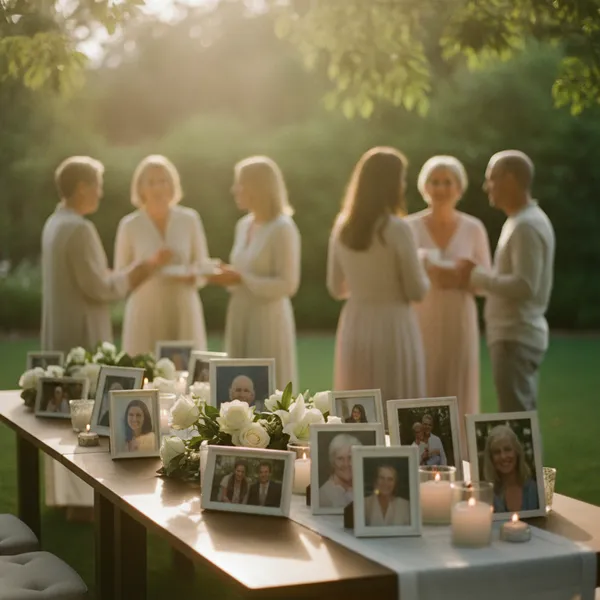
Collecting photos for a funeral means gathering pictures of the person from relatives, friends, neighbours and colleagues — for a slideshow, a memory table, a printed order of service, or a screen at the gathering. The difficulty is never the family's own photos. It is the ones they have never seen: the photograph from 1988 on a friend's phone, the work party nobody else went to. Those only arrive if the person holding them is asked, can respond in under a minute, and does not have to install or sign in to anything.
Why the obvious ways lose most of the photos
The people with the best photographs are the least likely to send them. Close family already share an album. The photographs nobody has seen belong to people one step out — an old colleague, a neighbour, a friend from a club — who do not want to intrude, do not have the family's email address, and will not join a group chat of strangers in a week like this.
Every extra step loses people. "Email them to me" means finding the photo, attaching it, and discovering that most mail services stop at about 25 MB per message — four or five modern phone photos. "Join this shared album" means an account of the right kind. A link that opens a page with one button does not have those exits.
Messaging apps shrink what they send. WhatsApp and most chat apps compress photographs by default unless the sender chooses the HD or "document" option, which almost nobody does. That is fine for a screen and poor for a printed order of service or an enlargement for the memory table.
Many photographs only appear on the day. People remember what they have when they are standing in the room. Any method that closes the night before misses them; a method that works from a phone, at the gathering, does not.
A plan for the days you have
This works whether you have a week or two days. One person runs it — often a grandchild or a friend of the family, not the next of kin.
-
1
Choose one place for everything (day 1)
Pick a single method from the comparison below and use only that. Two collection points means two people checking, duplicates, and photographs that fall between them.
-
2
Send one message with one link
Text and email the same short message: who it is for, what you want ("any photo of her, any age — and a line about where it was"), the link, and the date of the gathering. Ask each person to pass it on to one other person the family would not think of.
-
3
Ask the people one step out
Write directly to two or three people outside the family — a close friend, a colleague, a neighbour — and ask them to forward it within their circle. This is where the unseen photographs come from.
-
4
Collect the prints too
Older relatives have albums, not phones. Ask one person to photograph prints with a phone in daylight, straight on, one print per picture. That is good enough for a screen and usually for print.
-
5
Keep it open during the gathering
Put the same link, as a QR code, on the order of service and on a card at the memory table. With a QR code memory wall the photographs people add on the day appear on the screen within a second or two; with an album or a folder they simply arrive in the same place.
-
6
Afterwards, keep everything in one place
Download the lot and share it with the family. On QR Wall that is a ZIP download and a private gallery link on Premium ($10.99 for the month; cancel afterwards).
What goes wrong
- ✗Starting the night before. People need a day to look. Send the link as soon as the date is set.
- ✗A method that needs an account. Shared albums work beautifully inside one ecosystem and quietly exclude everyone outside it — often the older relatives whose photographs matter most.
- ✗Asking for "your best photos". People freeze. Ask for "any photo, any age" and a line about it; the ordinary ones are the ones the family has not seen.
- ✗No names. In a year nobody will know who sent which photograph or who is in it. In your message, ask people to add a line saying who they are and where the photo was taken.
- ✗Showing everything unseen. If the photographs will appear on a screen at the gathering, someone the family trusts should see each one first. On QR Wall that is a one-tap approval queue, on Professional.
- ✗Letting the collection scatter afterwards. Decide on day one who keeps the full set and how the family will get it.
Five ways to collect photos, compared
What each costs, who can take part, and what it is better at than the others. Limits of other products are as commonly documented in 2026 and may change; QR Wall's prices are our own.
Frequently asked questions
What is the easiest way to collect photos for a funeral?
Give everyone one link that needs no account and no app, and send it as soon as the date is set. A shared album is easiest if the whole family uses the same kind of phone. If friends, colleagues and older relatives need to take part too, use a link that opens in any browser — a Dropbox file request for files only, or a QR code memory wall if you also want people's words alongside their photographs and want them shown on a screen at the gathering.
How many days before the funeral should I ask for photos?
As soon as the date is set — ideally five to seven days before, and no later than three. People need a day to look through their phones and albums, and the most valuable photographs come from people one step outside the family, who only hear about it when someone forwards the message.
How do I get photos from older relatives who do not use smartphones?
Ask one person to visit or call them and photograph the prints with a phone: in daylight, straight on, one print per picture, no flash. That is sharp enough for a screen and usually for a printed order of service. For albums too fragile to handle, photograph the open page.
Can people add photos during the funeral or celebration of life?
Yes, if the method works from a phone without an account. Print the link as a QR code on the order of service and put a card on the memory table. With a QR code memory wall the photographs appear on the screen within a second or two of being added, which prompts other people to add theirs.
Will photos sent by WhatsApp be good enough to print?
Often not. WhatsApp and most messaging apps compress photographs by default; the result is fine on a screen and usually soft when printed larger than a postcard. Ask people to use the HD option, or to send the photo as a document, or to use a method that keeps the original file.
How do we keep the photos private?
Use a link that is not listed anywhere and share it only with the people you choose. On QR Wall the wall and its gallery are reachable only by their link, guests need no account (so you are not collecting anyone's details), the host can remove anything, and everything can be deleted afterwards.
What does it cost?
Group chats, email, shared albums and file requests are free. A QR Wall memory wall is free to start; Premium is $10.99 for a month and includes every photo on screen, a download of everything and a private gallery link, and can be cancelled straight after. Approval of each photo before it appears is on Professional, $19.99.
One link, and everyone's photographs in one place
Free to start. No app and no account for the people you send it to.
Create your free QR Wall →✓ No credit card required ✓ Setup in 60 seconds
Related resources
A memory wall for a celebration of life
The wall on the screen, and the private gallery the family keeps
How many photos for a funeral slideshow?
The arithmetic: photos, seconds, songs and minutes
Funeral guest book alternatives
Seven ways to keep what people wanted to say
How to set up a funeral photo wall
Four steps, under a minute of setup