A Memory Wall on Your Funeral Home's Price List
List a live memory wall as its own personalisation item, next to the tribute video and memorial folders, with one plain line of description and a fixed price. Your cost is a flat $19.99 a month for every service you hold, so the price you set is almost entirely margin: at $95 a service and five services a month, a home keeps $455 a month. Comparable personalisation lines on published price lists often sit between $95 and $195. Or include it in your higher packages as a reason to choose them. Either way, write it down the same way you list everything else.
Last updated: November 2026
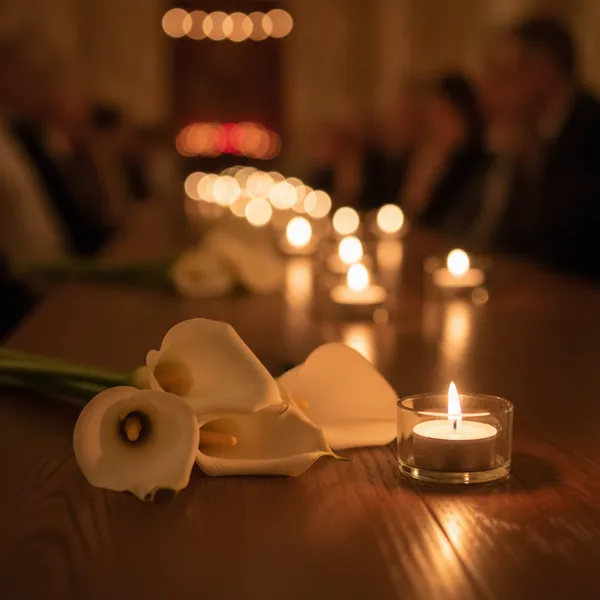
A live memory wall is a screen at a visitation, funeral or celebration of life that shows photos and written memories as guests share them from their phones by scanning a QR code, with no app and no account. For a funeral home it is a personalisation item in the same family as tribute videos, memorial folders and register books — except that guests make it, and the family keeps everyone's photos afterwards. On QR Wall it runs on a flat subscription of $19.99 a month covering every service the home holds.
Why it belongs on the price list
Families can only choose what they can see. An item that lives in a director's head is offered inconsistently and forgotten on busy weeks. A line on the price list and the arrangement sheet is offered every time, in the same words.
Itemised prices are expected. In the United States, the FTC Funeral Rule requires homes to give families a general price list that itemises the goods and services they offer. If you charge for a memory wall as its own item, it belongs on that list like any other. In the United Kingdom, funeral directors must publish their prices. Ask your own adviser how the rules apply to you.
The cost is flat; the price is yours. $19.99 a month covers every service, so the tenth wall of the month costs nothing extra. Staff time is about five minutes per service: a name, a QR code, a browser tab on the screen you already have.
It is the service under your name. On Professional your logo sits inside the QR code and on the page guests open, your background is on the screen, and there is no QR Wall banner. To the family, this is your service.
The line on the price list
Put it under personalisation or memorialisation, beside the tribute video. One line of description, written for the family, not about the technology:
Live memory wall — $___
Guests share photos and memories from their phones; they appear on the screen during the visitation or reception. The family receives every photo and message afterwards in a private gallery.
On the arrangement sheet, the same item as a tick box. At the arrangement conference, offer it in one sentence: "Would you like people to be able to add their own photos of him from their phones? They appear on the screen at the visitation, and afterwards you keep every one." Then stop. Families who want a personal service say yes; the others have lost nothing.
Bundled instead? If you include it in a package rather than charging separately, name it in the package's list of what is included, so families can see what they are choosing.
What to charge
That is your decision. Three reference points:
- Comparable lines. In the published price lists we reviewed for our September 2026 memorial research, personalisation items such as tribute videos commonly sat between about $95 and $195. Treat that as a rough range to check against your own market, not a benchmark.
- Your cost. $19.99 a month, flat, for every service. Two services a month at $95 already covers it several times over.
- Where you waive fees. Many homes reduce or waive their fees for a child's funeral. A memory wall costs you nothing extra per service, so it can be included at no charge there.
Adding it to your price list
About half an hour of an office manager's time, then five minutes per service.
-
1
Subscribe to Professional
One subscription ($19.99/month) covers every service. Add your logo, which then sits inside each wall's QR code and on the page guests open, and your background image for the screen.
-
2
Set the price, or the package
Choose a fixed price for the item, or decide which packages include it. Write it down once so every arranger quotes the same thing.
-
3
Add the line to the price list and arrangement sheet
Under personalisation, beside the tribute video, with the one-line description above. Update any printed and online versions of the list together.
-
4
Run a demo wall on your own screen
Create a wall, open it on the chapel or reception screen, scan it with a phone and post a photo. Arrangers who have seen it working offer it with confidence.
-
5
Per service: create, publish, show
Create the wall with the person's name (a minute), add the link to the obituary and service details, and open the display link on the screen on the day. Turn on the approval queue if the family wants every post seen first.
-
6
Afterwards: send the gallery
Within two weeks, send the family the private gallery link and the download — every photo and message, with who sent it. It is a welcome aftercare contact, because it is a gift.
What goes wrong
- ✗An unlisted charge. If you charge for it separately, it belongs on the price list. Families and regulators both notice items that appear only on the final bill.
- ✗Explaining the technology. The family needs to hear "people can add their own photos of her", not how QR codes work.
- ✗Arrangers who have never seen it. A two-minute demo on the office screen does more than any script.
- ✗Assuming every family wants it. Some families and traditions prefer not to display photos of the person. Offer it; never assume it.
- ✗Forgetting the aftercare. The gallery, sent two weeks later, is half the value to the family — and to you.
What it costs you, and what it returns
Your cost is $19.99 a month, flat. The charge is yours to set; the columns use $95 and $150 as examples from the range above, so you can do the sum for your own home.
Frequently asked questions
How should a funeral home list a memory wall on its price list?
As its own personalisation item, next to the tribute video and memorial folders, with a fixed price and one line of description: "Guests share photos and memories from their phones; they appear on the screen during the visitation or reception, and the family receives every one afterwards." If it is included in a package instead, name it in the package's list of inclusions.
How much should a funeral home charge for a memory wall?
That is your decision. Comparable personalisation items on the published price lists we reviewed often sat between about $95 and $195. Your cost is a flat $19.99 a month for every service, so at five services a month a $95 charge leaves $455 and a $150 charge leaves $730.
Does the FTC Funeral Rule apply to a memory wall?
The Funeral Rule requires US funeral homes to give families a general price list itemising the goods and services they offer. If you sell a memory wall as its own item, it belongs on that list with its price, like any other. If it is part of a package, list it among the package's contents. Ask your own adviser how the rule applies to your home.
What does a funeral home need to run a memory wall?
A screen with a web browser — a smart TV, or a laptop connected to a TV or projector by HDMI — and an internet connection for that screen. Guests use their own phones and mobile signal. There is nothing to install.
Can the memory wall carry our funeral home's brand?
Yes, on Professional ($19.99/month): your logo inside the QR code and on the page guests open, your background image on the screen, and no QR Wall banner on the wall.
How do we stop something inappropriate appearing on the screen?
Professional includes AI moderation that screens photos and text at one of five sensitivity levels, and an approval queue that holds every post until a member of staff or a family friend taps approve on a phone. Anything can also be removed at any time.
What does the family receive afterwards?
A private gallery link and a download of every photo and message, with the name of the person who shared it. Sending it within two weeks makes a welcome aftercare contact.
Try it on your own chapel screen
Create a demo wall, scan it with your phone, and see what a family would see. Free to start.
Create your free QR Wall →✓ No credit card required ✓ Setup in 60 seconds
Related resources
For funeral homes, celebrants and chapels
The offer, the margin and a demo wall to try
Holiday remembrance services
A December service with every family's photo on screen
What the family sees
The wall in the room, and the gallery they keep
A QR code on the order of service
Where it goes, what it says, how big
Privacy and security
Who can see a wall, moderation and deletion