A Memorial Slideshow Without the All-Nighter
The all-nighter happens when collecting, choosing and building all land on the last evening. Split them. Send one link for photos on the first day, so they arrive over the week instead of on the night. Choose the music first and let it set the number: two songs is about 60 to 80 photos. Build the watched slideshow from the best of those, and put everything else — and everything guests bring — on a screen at the reception, where it doesn't need to be edited at all.
Last updated: November 2026
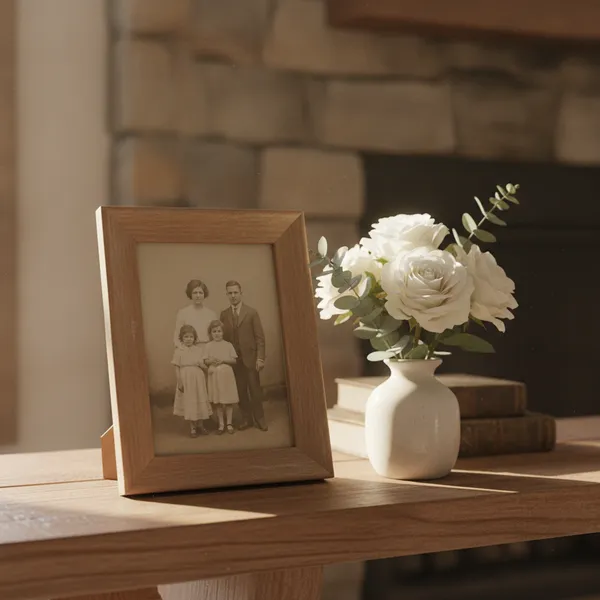
A memorial slideshow is a sequence of photographs of the person, usually set to music, shown at a funeral, memorial or celebration of life. There are two jobs hiding in the word: a short watched slideshow during the service (typically 5 to 8 minutes), and a long looping one at the visitation or reception. Most all-nighters come from trying to make one file do both.
Where the hours go
Collecting takes longest, and it starts too late. Photos are on a dozen phones, in shoeboxes and in a cousin's cloud account. If the request goes out three days before, they arrive the night before — by text, by email, as photos of photos — and someone has to gather them before they can choose any.
Choosing is slow because there is no limit. Without a number, every photo feels like it belongs. A number set by the music — 220 seconds of song at 6 seconds a photo is about 36 photos — turns an impossible job into a list.
Building is the fast part. With 70 chosen photos in order and two songs, Apple Photos, Google Photos, Keynote, PowerPoint or Canva make the slideshow in under an hour. The tool is rarely the problem.
One file can't do both jobs. A watched tribute needs to be short and edited. A loop at the reception can hold hundreds of photos and needs no editing at all. Keep them separate and the second job almost disappears.
A time budget for the week
| When | Task | Time (rule of thumb) |
|---|---|---|
| Day 1 | Send one link for photos to family and friends | 15 minutes |
| Days 1–4 | Photos arrive; scan or re-photograph the key old prints in daylight | 1–2 hours, spread out |
| Day 3 | Choose the music; work out the number of photos | 30 minutes |
| Day 4 | Pick the photos for the watched slideshow, in life order | 1–2 hours |
| Day 5 | Build it, export a video file, copy it to a USB stick | About 1 hour |
| Day before | Test on the venue's screen and speakers; set up the reception screen | 30 minutes |
About five to seven hours in all, spread across the week — instead of the same hours, or more, in one night. Give each task to a named person where you can: one cousin collects, another builds.
Making the slideshow, step by step
Written for the family member who has been handed the job. If you have fewer days, compress them, but keep the order.
-
1
Day one: send one link for photos
One link, sent once, with a request for specific photos ("any of Mum from before 1980, and any from the allotment"). A shared album, a cloud folder or a memory wall all work; what matters is one place, starting now. See our guide to collecting photos for a funeral for the options.
-
2
Ask how long you have
Ask the funeral director or celebrant how many minutes the slideshow has in the service. Most allow 5 to 8. That number decides everything after it.
-
3
Choose the music, then do the sum
Songs set the length: one song is about 35 to 40 photos at 6 seconds each; two songs about 60 to 80. Song length in seconds ÷ 6 = the number of photos.
-
4
Choose by life, then cut to the number
Sort the photos by decade, take the best five to ten from each, then cut to your number. Include the people who mattered and a few that make the room smile. End on one photo of the person looking at the camera.
-
5
Build it in the tool you already have
Apple Photos, Google Photos, Keynote, PowerPoint or Canva. Six seconds a photo, simple cross-fades, no captions unless they are large. Export a video file and copy it to a USB stick as a backup.
-
6
Give everything else to the reception screen
Every photo that didn't make the cut — and the ones guests bring — goes on a looping screen at the reception. On a live memory wall, the family posts the leftovers beforehand and guests add theirs from their phones on the day; nothing needs editing.
-
7
Test the day before
On the venue's screen and speakers: the file plays, the sound comes out of the room's speakers, portrait photos aren't cropped, and the laptop won't sleep or show notifications.
What causes the all-nighter
- ✗Asking for photos too late. The request should go out on day one, not day four.
- ✗No number. Without a length from the celebrant and the music, choosing never ends.
- ✗One file for two jobs. A 20-minute slideshow is too long to watch and too short to loop. Make two things.
- ✗Editing the loop. The reception screen doesn't need ordering or transitions. Let it run.
- ✗Fighting a new tool at midnight. Use the slideshow tool you already know.
- ✗Only one copy. Export a video file and carry it on a USB stick as well as the laptop.
Three ways to split the work
Most families do the first; the second and third take the loop off the night before entirely.
Frequently asked questions
How long does it take to make a memorial slideshow?
Building it takes about an hour once the photos are chosen. Collecting and choosing take most of the time — often several hours across the week. Starting the photo collection on the first day, rather than the night before, is what avoids the all-nighter.
How many photos should a memorial slideshow have?
For a slideshow watched during the service, 60 to 80 photos — about two songs at 6 seconds each, 5 to 8 minutes. A slideshow that loops at the reception can hold 100 to 200 or more.
What's the fastest way to make a funeral slideshow?
Use a tool you already know (Apple Photos, Google Photos, Keynote, PowerPoint or Canva), choose the music first, cap the photos at what the music allows, and order them by life. Put every other photo on a looping screen at the reception rather than trying to fit it in.
Can guests add photos to the slideshow on the day?
Not to a finished video file. A live memory wall can do that part: guests scan the QR code on the screen and add photos and a few words from their phones, and each appears on the screen in about a second. Many families play the prepared tribute in the service and run the wall at the reception.
Does a live memory wall replace the tribute slideshow?
No. The tribute is short, edited and set to music, and it is watched in silence. A memory wall runs at the reception, holds as many photos as people share and has no soundtrack — play music from a separate speaker. They do different jobs, and many families use both.
Are photos on a memory wall full resolution?
No. Photos on QR Wall are kept at screen size (up to 1920 px on paid plans), which looks sharp on a TV but isn't meant for large prints. For prints, ask the person who shared a photo for the original.
The tribute shows eighty. The wall takes the rest.
Create a free memory wall, post the photos that didn't make the cut, and let guests add theirs on the day.
Create your free QR Wall →✓ No credit card required ✓ Setup in 60 seconds
Related resources
How many photos for a funeral slideshow?
The sum behind the length, with a table by song count
How to collect photos for a funeral
Five ways to gather everyone's photos
Best memorial slideshow tools (2026)
The tools compared, with prices
A memory wall for the reception
Guests add their own photos on the day
Photos on a TV or projector
Smart TV, HDMI or a casting stick