For Halloween parties
Every costume, on the big screen. With bats flying across it.
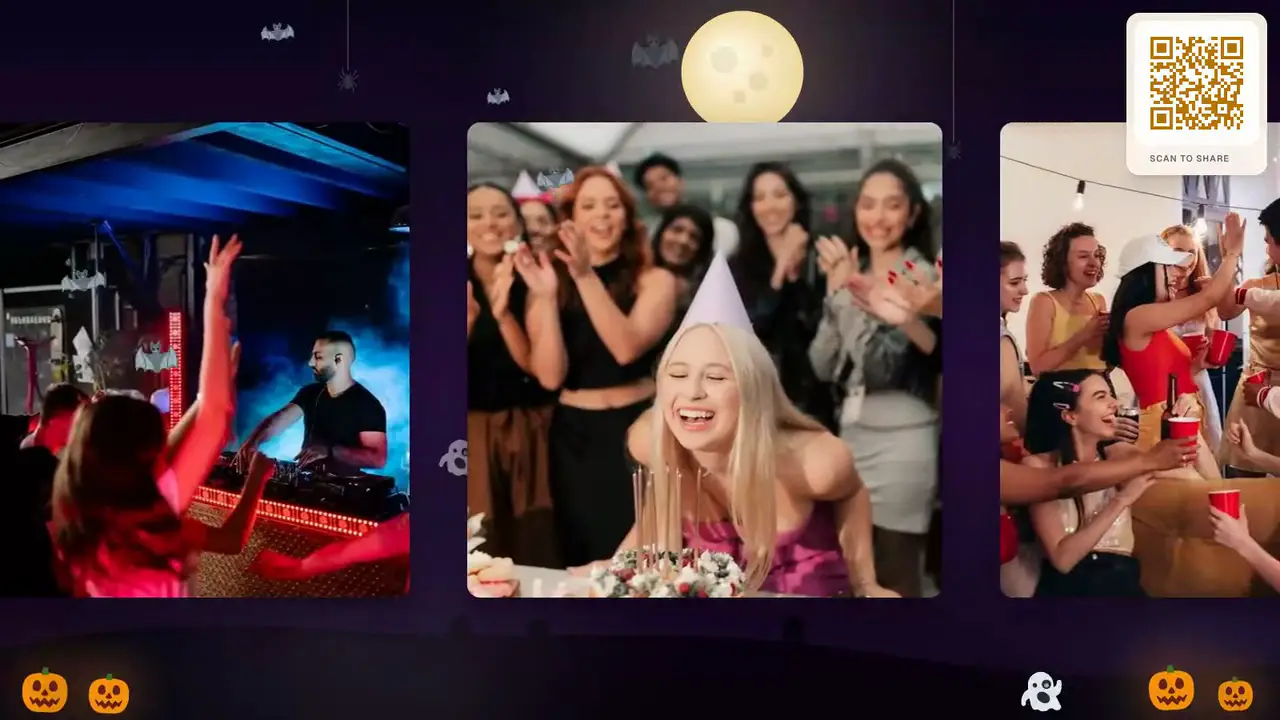
Guests scan a code on the TV and post their costume photos and messages; each one lands on the screen in about a second. The Halloween theme dresses the whole wall: a full moon, bats crossing the photos, ghosts drifting up, and every reaction floating up like a ghost.
Free to start. Try the Halloween theme on your own wall for 10 seconds, no card.
- The screen decorates itself
- The Halloween theme animates behind and in front of the posts: bats, ghosts, spiders on threads, candlelit pumpkins and a witch who crosses the moon about every 30 seconds.
- The costume contest, settled on screen
- Everyone posts their costume to the same wall, so the whole room sees every entry — including the people who arrived late or dressed up at home.
- No app, nothing to install
- Guests point their phone camera at the QR code on the screen. It opens in the browser; there is no app and no account.
A Halloween party photo wall is a live screen — a TV or projector — that guests post photos and messages to by scanning a QR code with their phone. On QR Wall it takes under a minute to set up, guests need no app, and each costume photo appears on the screen about a second after it is posted.
The Halloween theme turns that screen into a decoration: an animated night scene with a full moon, bats that fly across the guests' photos, ghosts that drift up and fade, spiders lowering on threads and jack-o'-lanterns flickering in the corners. Guests' emoji reactions float up the wall like ghosts. It works the same at a house party on the living-room TV and at an office Halloween party on the meeting-room projector.
Set up before the first trick-or-treater
Two minutes the afternoon of the party. On the night, guests only scan.
-
STEP 1
Open your wall on the TV
Create a wall, call it something ("Halloween at the Garcias’"), open the display link on the TV or projector and pick the Halloween theme in Customize. The QR code is on the wall itself.
-
STEP 2
Guests scan and post
Camera, code, one tap. Costumes, the pumpkin carving, the haunted hallway, a message to the best-dressed — on the screen in a second, with bats flying past.
-
STEP 3
Keep every photo
Next morning, download everything or share one gallery link, so the photos taken on forty phones end up in one place.
What the Halloween theme does
An animated scene built for a screen that runs all night — noticeable in the first minute, never in the way of the photos.
A night scene behind the photos
A purple night sky, a full moon rising over the photo strip, rolling hills and headstones, slow fog along the bottom. Painted once, so it runs smoothly on the cheapest TV stick.
Bats and ghosts in front of them
A few bats fly across the guests' photos and ghosts drift up and fade — enough to feel like Halloween, sparse enough that every face stays visible.
Reactions that float like ghosts PRO
When a guest taps a reaction on their phone, it wobbles up the wall like a ghost. On Professional, the reaction buttons switch to 🎃 👻 🦇 💀 🕷️ 🧛 🍬 😱.
A witch every half minute
Every 20 to 35 seconds a witch crosses the moon trailing sparkles — the moment the room points at the screen.
Nothing regrettable on the office screen PRO
For a work party, the approval queue holds every post until you tap yes, and AI moderation screens text and images first.
Works on any screen
Any TV, projector or laptop with a browser. On a smart TV, open qrwall.live/tv and pair it from your phone — no typing on the remote.
The decoration that fills itself
Every Halloween party has a TV that is either off or playing a fireplace video. Turned into a wall, it becomes the one decoration that gets better as the night goes on: it starts as a moonlit scene with bats, and by ten o'clock it is every costume in the room, every pumpkin, every blurry group photo — with the bats still flying across them.
It also settles the costume contest. Instead of a judge squinting across the room, everyone posts their costume to the same screen, and the whole party sees every entry at once — including the guest who dressed up and stayed home, and posted from there.
The same wall, in Grid
Every costume on screen at once — the view for the busy middle of the night.
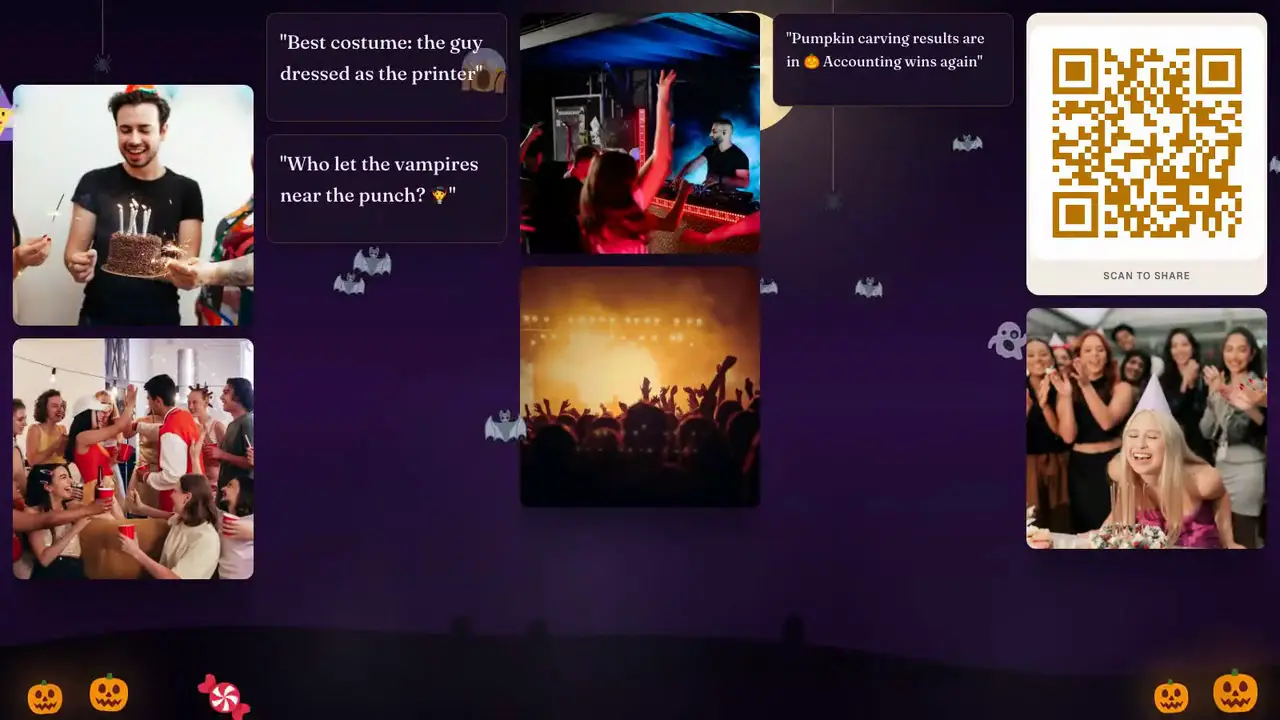
Grid shows every recent post at once, which suits a crowded room hunting for their own photo. Slideshow gives each costume its moment — use it for the contest. Switch from your phone; nobody rescans.
Halloween theme · Premium keeps it on all night
Live wall, photo booth, shared album or group chat
Where Halloween party photos usually end up.
| QR Wall (Halloween theme) | Photo booth rental | Shared album | Group chat | |
|---|---|---|---|---|
| Everyone sees it together | Yes — live on the TV | Prints only | No — each phone, later | No — each phone |
| Animated Halloween look | Yes — moon, bats, ghosts, witch | Props and backdrop | No | No |
| Photos from every phone | Yes | Booth photos only | If people remember | Scattered in the thread |
| Setup | Under a minute, any TV | Vendor, delivery, floor space | Invite links | Already there |
| Cost | Free to try; $10.99/mo keeps the theme on | $300–$800 per night | Free | Free |
Pricing for one Halloween party
Try the theme free for 10 seconds on your own wall. One month of Premium covers the party — cancel after.
Free
Try it on your own TV
$0
- A live wall with a QR code
- Five posts on screen at a time, rotating
- Preview any seasonal theme for 10 seconds
- Halloween theme all night
- Download everything afterwards
Premium
The pick for a Halloween party
$10.99 / month
- Halloween theme on all night
- Unlimited posts on the screen
- Download every photo the next day
- Shareable gallery link
- Remove QR Wall branding
Professional
Office parties and big crowds
$19.99 / month
- Everything in Premium
- Halloween reaction buttons (🎃 👻 🦇 …)
- Approval queue: nothing shows until you tap yes
- AI moderation on text and photos
- Your logo inside the QR code
Halloween photo wall questions
What hosts ask before putting a live screen up at a Halloween party.
- How do I make a Halloween photo wall for a party?
- Create a wall at qrwall.live, open the display link on your TV or projector, and choose the Halloween theme under Customize. Guests scan the QR code shown on the screen with their phone camera and their photos appear live, with an animated Halloween scene around them. It takes under a minute and needs no app.
- What does the Halloween theme look like?
- An animated night scene: a full moon, rolling hills with headstones and fog behind the photos; bats flying across them, ghosts drifting up, spiders lowering on threads and flickering jack-o'-lanterns in the corners. About every 30 seconds a witch crosses the moon. Guests' reactions float up the wall like ghosts.
- Is the Halloween theme free?
- Any free wall can preview it for 10 seconds — pick it in Customize and it plays on your screen, then switches back. Premium ($10.99/month) keeps it on for the whole party; cancel after the party if you only need it once.
- Will the animation slow down my TV?
- No. The scene is drawn once and the moving parts are a few dozen small images at 30 frames per second, so it runs on a Chromecast, a Fire TV stick or an old laptop. It pauses when the screen is hidden and shows a still scene for anyone who has reduced motion turned on.
- Can I use it for an office Halloween party?
- Yes. For a work party, Professional adds an approval queue so nothing appears on the screen until you approve it, plus AI moderation of text and images. Remote colleagues can post to the same wall from home.
- Can we run a costume contest with it?
- Yes — ask everyone to post their costume to the wall, switch to Slideshow so each entry gets its moment, and let the room cheer. Every entry is saved, so you can download the winners afterwards.
The TV is already there. Give it bats.
Set it up the afternoon of the party. Watch the costumes roll in that night. Keep every photo the next morning.
Free to start. No card, no commitment.
Last updated: October 2026