Free printable · Letter, A4 and 5×7 cards
Memorial and celebration of life QR code sign template
A memorial QR code sign invites people at the gathering to share a photo or a memory: the person's name and years, an optional portrait, one line such as "Share a photo or a memory of Margaret", and the QR code. Fill in the details below, paste your memory wall link, and print on Letter or A4 for the entrance or as 5×7 cards for the tables and the guest book. It is free, needs no account, and the code opens straight to the wall.
Open this page in any browser to fill in and print the template: sizes US Letter, A4, 5×7 in card, Two 5×7 cards per sheet. Free, no account, nothing to install.
A memorial QR code sign is a printed card or sign at a funeral reception, memorial or celebration of life whose code opens a shared memory wall. Friends and family scan it with their phone camera and add photos and a few words without installing anything. With a live wall, what they share appears on the screen at the gathering, and the family has it all in one place afterwards.
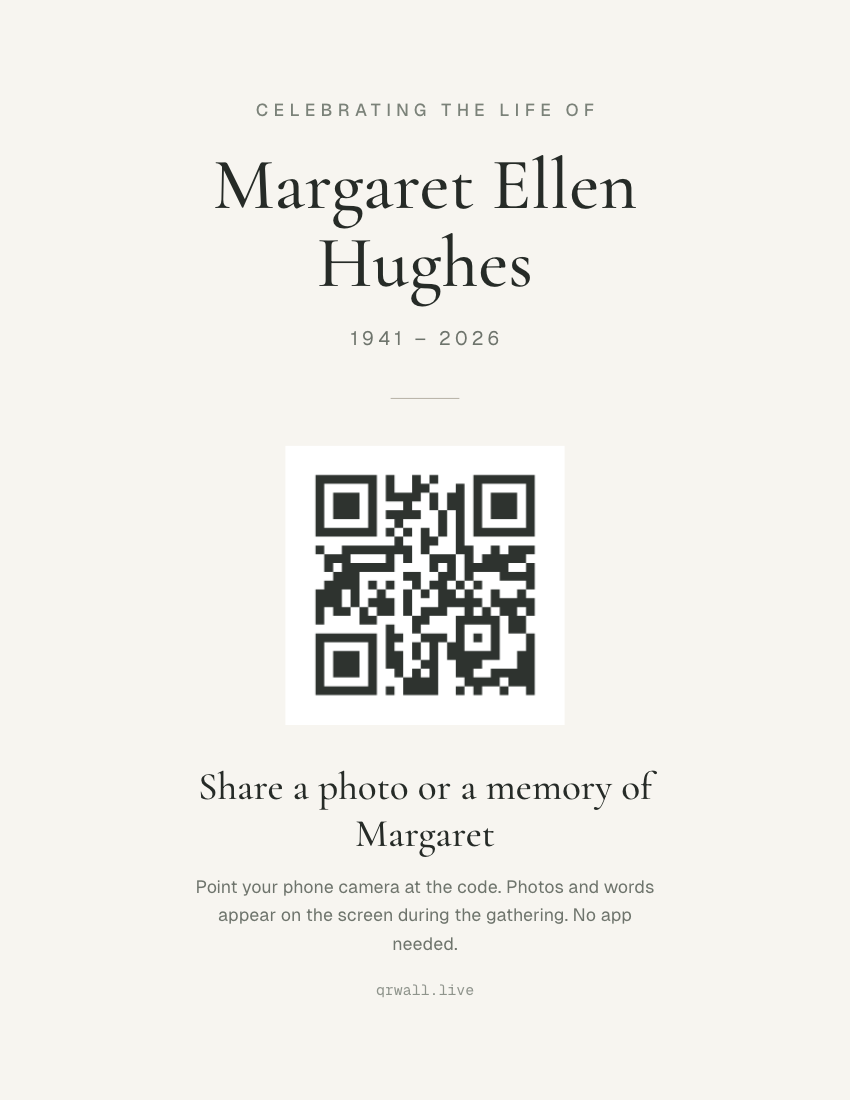
What’s on this template
- A small top line ("Celebrating the life of" or "In loving memory of")
- An optional portrait in an arched frame
- The name in a quiet serif, with the years beneath
- The QR code in soft ink, with one line saying what to share
- Small print that explains the scan for guests who haven't done it before
What to write on a memorial QR sign
Keep it short and specific. Ask for a photo or a memory of the person by name, and explain the scan plainly, because some guests will be doing it for the first time:
- “Share a photo or a memory of Margaret”
- The default. Names her and says what to share.
- “Celebrating the life of”
- A top line for a celebration of life.
- “In loving memory of”
- A top line for a memorial or funeral reception.
- “Add a photo you took of her, or a few words about a time you shared”
- Longer, for a table card where guests have time to read.
- “Point your phone camera at the code. No app needed.”
- The small print. It answers the first question older guests ask.
Where to put memorial QR signs
The code belongs on the screen with the photos, where people see what others have shared and add their own. Printed cards carry it to the quieter corners of the room:
- Beside the guest book
- People already stop there to write something.
- The tables (5×7 cards)
- Guests sit, talk and remember; a card at hand turns that into a photo shared.
- The entrance (Letter or A4)
- Next to the portrait or the order of service table.
- The order of service or programme
- Print the code small on the back so it goes home with people.
- With the thank-you cards
- Guests who couldn't come can still add a photo afterwards.
How to make a memorial QR sign
Three steps, a couple of minutes, entirely in your browser.
STEP 1
Get your wall link
Create a free QR Wall memory wall, or open the one you have, and copy its guest link. Signed in, pick the wall from the list instead.
STEP 2
Fill in the sign
Type the name, the years and the instruction line, and add a portrait if you'd like one. The preview updates as you type.
STEP 3
Print
Print on US Letter or A4 for the entrance, or as 5×7 cards (one per page, or two per Letter/A4 sheet) for the tables. Choose Save as PDF in the print dialog to send the file to a print shop or the funeral home.
Questions hosts ask
Before printing, mostly.
- What should a memorial QR code sign say?
- The person's name and years, one line asking for a photo or a memory ("Share a photo or a memory of Margaret"), and a plain explanation of the scan: "Point your phone camera at the code. No app needed." Many guests will not have scanned a code before, and the small print is what they read first.
- Can older guests use it?
- Yes. There is no app and no account: the phone's own camera reads the code and opens a page where they choose a photo and type a few words. For guests who would rather not, a family member can post for them from their own phone.
- Can I add a photo of the person to the sign?
- Yes. Upload a portrait and it sits in an arched frame above the name. The photo stays in your browser; nothing is uploaded to our servers to make the sign.
- Can people share photos after the gathering?
- Yes. The same link keeps working after the day, so you can include the code or the link with thank-you cards, and guests who couldn't come can still add their photos and memories.
- Can the funeral home print it?
- Yes. Choose Save as PDF in the print dialog and send the file; it is set to the exact page size (Letter, A4 or 5×7 in) with no margins, ready for card stock.
The sign points to the screen.
QR Wall puts what guests post on a TV or projector in about a second, with the code beside it. Signs carry that code to the rest of the room. Free to start, no app for guests.
Memory walls for a celebration of life — Photos and words from everyone who came, on the screen at the gathering and kept after.
Create a free wallNo credit card · set up in about a minute
Last updated: September 2026